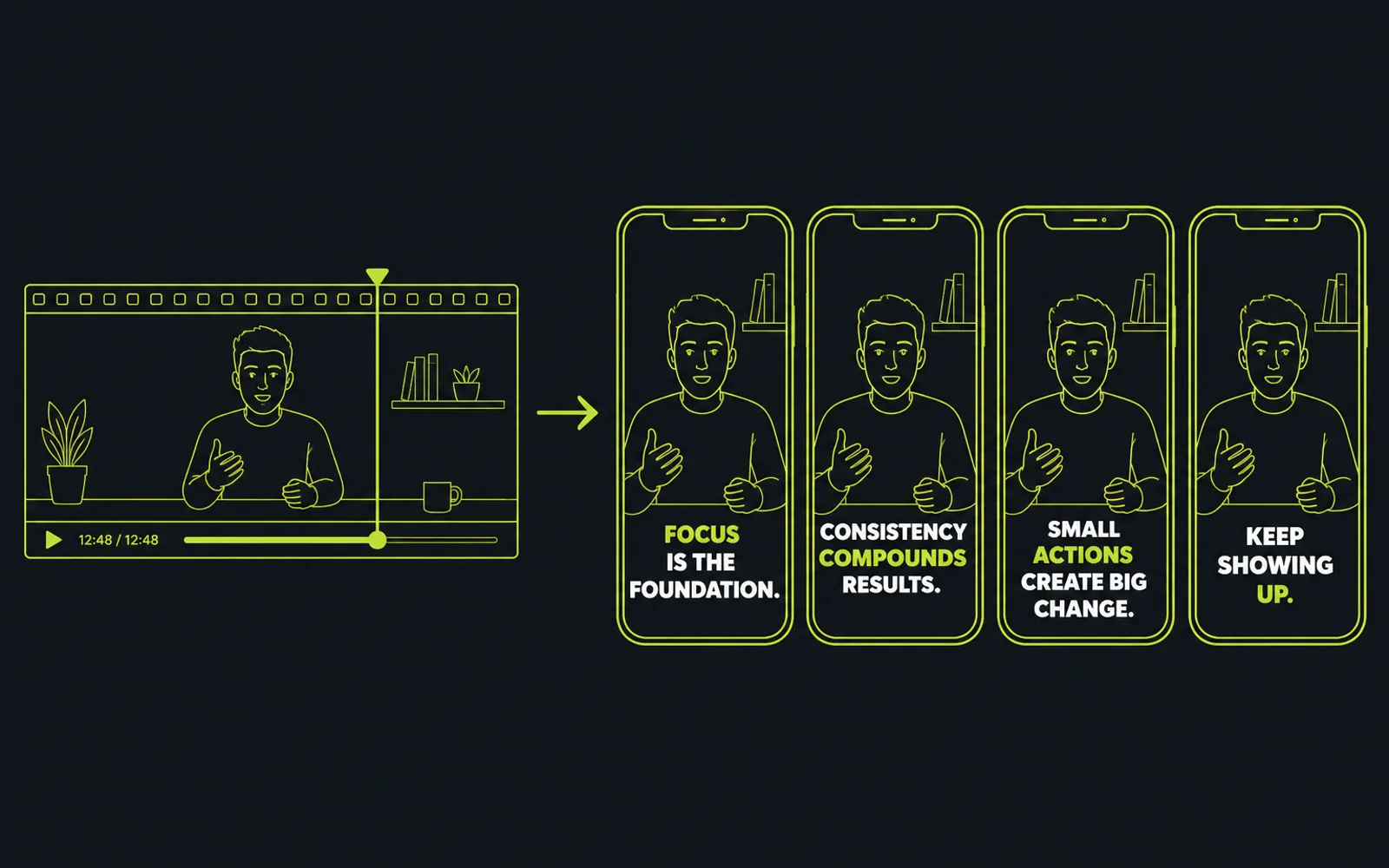
A solo talking-head video — a keynote, a recorded course, a webinar, a vlog where one person talks straight to camera — is the single easiest thing to cut into a boring short, because with one speaker there is no second face to cut to and no interviewer's question to give the clip its shape. Yes, you can turn it into shorts that hold, but only if you stop editing it like an interview and start treating the clip as a single idea that has to stand on its own. This article gives the method: pick one complete idea per short, cut the three dead zones that make a one-voice clip feel static, and let word-by-word captions plus a centered frame supply the motion a second speaker would otherwise provide.
Why a one-person clip goes flat (the statue problem)
Watch a talking-head short that loses you, and you are usually not watching a bad point — you are watching a clip with no second voice and no question underneath it. In an interview, the host's question gives the clip a beginning and a reason to exist; in a two-shot, cutting to the listener's reaction buys the editor a change of picture. A solo recording has neither. One face, one camera, one continuous voice, and the instant that voice hesitates, the picture has nothing else to do, so the clip reads as static.
The feeling rarely comes from the speaker. It comes from three places in the edit, and they are the same three in almost every flat clip: the clip opens cold, on a sentence that assumes context the viewer does not have yet; it pauses somewhere in the middle, where the speaker hesitates or restarts and the frame just sits there; and it runs past its point into a rambling tail that adds nothing after the idea is already complete. None of those three is fixed by being a better editor on the tenth clip. Each is fixed by a decision about what the clip is, made before you cut.
Recognizing the three dead zones matters more for a solo talk than for any other source, because you cannot hide them behind a reaction shot or a cutaway. When there is only one face, every second of dead air is a second the whole clip feels empty. The annotated frame below shows exactly where those three zones sit on a typical talking-head short.
Pick one complete idea, not a fragment
The first decision is which moment to keep, and it is the decision that separates a short that works from a clip that dies on mute. Because there is no interviewer marking the boundaries of a thought, you have to find thoughts that open and close by themselves. A usable short is one complete spoken idea: a claim, the explanation that supports it, and a finish. It does not need the question that preceded it, and it does not need the sentence that follows it.
The test is to read the moment without its surroundings. If the clip still makes sense to someone who heard nothing before it, the idea is complete and it survives alone. If it starts mid-thought or ends because the speaker trailed off rather than because the point landed, it is a fragment, and a fragment will always feel like a piece of something larger that is missing.
Finding these moments is a reading task, not a scrubbing task. You do not find the boundary of an idea by dragging a playhead; you find it by reading the words and marking where one complete thought ends and the next begins. This is the same skill as choosing the moments worth keeping from any long source — the only difference is that a solo talk gives you no question marks to lean on, so the boundary is purely a judgement about the idea. One idea per short, even when the speaker packs several into a single stretch: the fragment dies, the complete idea stands, and the viewer watches one thing to the end.
Cut the cold start and the rambling tail
With the idea chosen, the edit becomes a question of where the clip begins and where it stops — and for a solo voice, both edges need the same treatment every time.
Open hot. A speaker rarely states their point in the first sentence; they warm up, restate the context, find their phrasing. A short that starts there starts cold, and a cold open is the single fastest way to lose a viewer scrolling. The clip should begin at the moment the speaker actually commits to the idea — the clearest phrasing of the claim, not the throat-clearing that led to it. What a short needs in its first seconds to hold attention is the same discipline whether you are cutting a podcast, an interview, or a solo talk: drop the viewer straight onto the point.
Stop at the point. The other edge fails in the opposite direction. Once the speaker has made the idea and the explanation that supports it, every extra sentence weakens the clip. You are not looking for a polite fade-out; you are looking for the first moment after the idea is complete and cutting there. This is where a solo recording tempts you most, because the speaker keeps talking — the clip feels like it should run until they stop. It should not. It should end the beat after the idea lands, the way you would end any short at the moment that finishes the thought. A clip that opens on the point and stops at the point never gives the viewer a reason to leave.
A static frame needs captions that move
Here is the part editors usually miss: even a perfectly cut idea can still feel flat, because with one face in one frame, the picture is almost motionless. In an interview the second speaker supplies visual change; in a b-roll edit the cutaways do. A solo talking head has neither, so the motion has to be built into the text on screen.
Word-by-word captions are the reliable answer. When the words appear one at a time, synced to the speech, they give the eye something to track and the frame a reason to feel alive even though the camera has not moved. This is not decoration — it is the visual energy that replaces the cutaway. The captions also do real work: on a platform where many viewers watch muted, the words are the clip.
Two caveats apply specifically to a talking head. First, keep the captions clear of the part of the frame the platform's interface covers; the text has to be readable over the speaker's chest or lower frame without colliding with the platform's own buttons. Second, keep the single speaker centered in the vertical frame. Auto-captioning gets the wording wrong often enough that YouTube itself tells creators automatic captions can misrepresent speech and must be reviewed, and a talking head has no other visual element to distract from a mistimed caption, so the sync matters more here than anywhere. When you build the captions yourself in an editor, Premiere's caption tools style and time the text on a dedicated track — useful for one clip, but a job that has to be repeated for every short of the set.
What the machine can honestly run for you
Once you have chosen the idea and the hook line, the remaining work on a solo talk is repetition, and repetition is the part that turns a one-clip job into a grind when you do it for a whole batch. Placing every caption at the same safe height, keeping the word-by-word sync exact on every clip, cropping each clip to keep the single speaker centered, exporting everything the same way — that is the same move N times, and it is precisely where a human editor gets slow and then inconsistent.
The honest split: you decide which idea survives alone and what the first line says. The machine should keep every clip on the same layout — captions in the same band, words synced to the speech, the speaker framed the same way in every short of the set. That split is not a trade-off; it is what lets you cut ten shorts from one talk and have them read as one series instead of ten separate bets. Where the same discipline applies to an interview or a podcast, the layout of a whole batch is decided once, not per clip; for a solo talk it is the difference between a set of shorts and ten statues of the same person. That is the half a clip production line that keeps the whole batch on one look removes from your hands — the placement, the sync and the crop stay consistent because they are applied to the batch, not re-decided per clip.
Solo talking-head shorts: quick answers
- Why do my talking-head shorts feel boring?
- Usually because the clip carries a fragment instead of a complete idea, or because it keeps its cold start and its rambling tail. With only one face on screen there is no reaction shot to hide dead air, so the moment loses momentum the instant the speaker hesitates. Pick one idea that stands alone, open on the point, stop at the point.
- Do I need b-roll or a second camera to fix a static clip?
- No. The two reliable fixes that need no extra footage are word-by-word captions, which give the eye something to track, and a clean edit that opens hot and ends at the point. A second camera helps, but it is a shooting solution to an editing problem.
- Where should the captions go on a talking-head clip?
- Out of the platform's interface band and readable over the frame, usually the lower-middle, sized so the words never cover the speaker's face. Keep the placement identical across every clip of the batch so the series looks consistent.
- How do I find complete ideas in a long monologue?
- Read the transcript and look for thoughts that open and close by themselves — a claim, its explanation, a finish. If a moment still makes sense with nothing before it, it is complete. If it starts mid-thought or trails off, it is a fragment.
- Can a tool cut a solo talk into shorts for me?
- Partly. A tool can place every caption at the same safe height, keep the sync exact, and crop each clip to keep the speaker centered — the repetitive half. It should not choose which idea survives alone; that judgement is what keeps the shorts from looking like every other clip of the same recording.
A solo talking-head recording does not have to come out as a flat clip of one person talking. Cut each short around one complete idea that opens and closes by itself, delete the cold start and the rambling tail so the clip begins hot and stops at the point, and let the captions plus a steady centered frame carry the visual motion that a second voice would have added. You keep the judgement — which idea survives alone, what the first line says — and the repetition — the same safe caption placement, the exact word sync, the same vertical crop, for every clip in the set — is exactly what a clip production line that treats the batch as one layout is built to run. Choose the moments in the transcript, set the look once, and the machine turns one long talk into a set of shorts that never fall back into a statue.