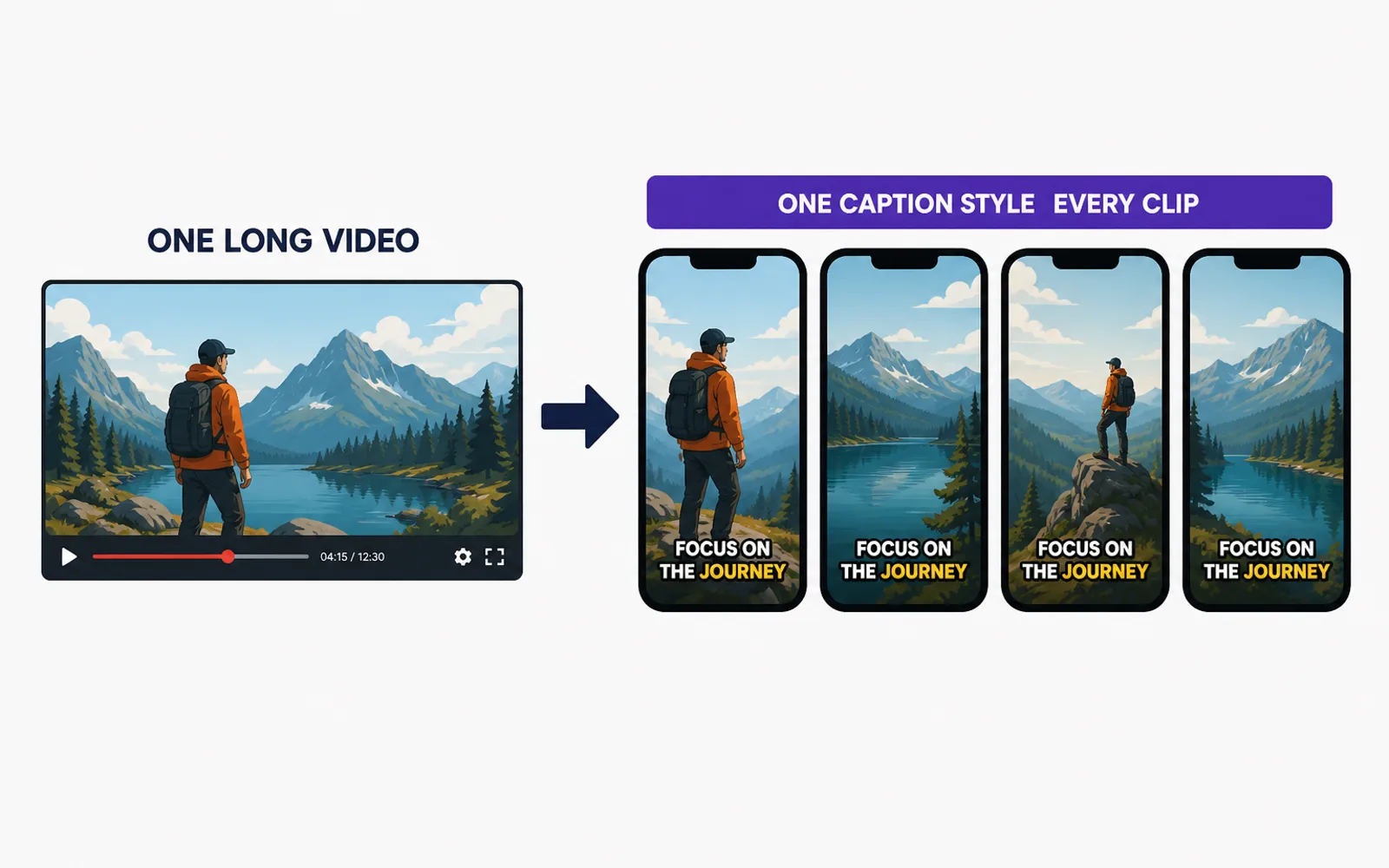
Yes — a whole batch of clips cut from one long video can share the same captions, but only if the look is one decision you make once, before the first clip is finished. In practice that is exactly what does not happen: every clip gets styled on its own, so captions drift in height, size and colour until the set reads as a stack of unrelated videos instead of one series. This article explains why that drift happens, the four-part caption spec that stops it, and the honest split between the look you should choose yourself and the repetition that should run automatically.
A set of clips should read like one series — usually it reads like several
Clipping rarely means one clip. A campaign, a creator or a brand hands over a single long video — a podcast episode, a vlog, an interview — and wants it cut into a set of shorts that will be posted over the following days. That set is one body of work, and the captions are what tie it together on screen: the same words popping at the same rhythm is part of what makes the clips feel like the same channel.
Now put the ten clips you delivered side by side. If the caption text sits at a different height on clip four than on clip two, runs larger here and thinner there, yellow on one and white on the next, none of it looks wrong in isolation — you fixed each one as you made it. Together they read as a channel that cannot keep its own captions straight, and on a paid campaign the client notices immediately.
That is not a style preference, and it is not solved by being more careful on the tenth clip. It is a spec problem: when every clip is styled in isolation, nothing enforces that clip ten matches clip one. The fix is to decide the look once and apply it to all — not to re-decide it ten times. The drawing shows the difference between the two outcomes at a glance.
Why clips from the same video drift apart
The cause is almost never laziness. It is that the tools and the workflow treat every clip as a fresh, separate job, and the batch has no memory.
In an editor, the clips you cut are usually separate projects or sequences. Caption styling in Premiere is saved as a track style that applies to a caption track inside one project — Adobe's caption documentation is explicit that a style lives on a track. So for every clip you export, re-applying that style is a step only you can remember to do, and nothing warns you when you skip it on clip seven. CapCut added a batch edit that applies one style to selected recognized captions — its own batch-edit help shows you selecting the lines and styling them together — but that still works within the single edit you have open; the moment the clips become separate files, the link is gone and consistency is a promise you make to yourself.
The other route fails differently. Tools that auto-cut hand each clip back with the framing and captions re-decided as if that clip were the only one: the crop drifts, the captions land somewhere new, because the tool never knows a batch exists. You end up receiving clips that are consistent with nothing, and the 'finished' pass turns into a fixing pass. Auto-captions are the weak link underneath: YouTube's own caption help warns that automatic transcription can misrepresent speech and must be reviewed — and reviewing ten separate auto-caption jobs is exactly the grind that makes you want one set of decisions instead of ten.
The real trap: consistency is a set of decisions made once. If you are re-making the caption decisions on every clip, you are paying the batch's cost per clip — ten decisions where there should be one, and the risk of drift multiplied by ten.
Write the caption spec once, before the first clip
Before you style the first clip, write the look as a short spec and save it as a preset or a track style. Four decisions are enough, and keeping the list short is exactly what makes it enforceable:
- Font and weight — one typeface, one weight for every clip. Choose one that stays readable after the platform compresses the video.
- Colour and outline — the fill colour and the contrast outline, set once. This is what keeps the words legible over any background.
- Placement — the caption band: the same height on every clip, kept above the area where the platform's interface sits. The safe zone differs slightly per platform, so fix the band per platform, not per clip.
- Size and sync — one text size and one way words appear. For punchy clips that means word-by-word; treat captions as timed text with a rhythm rather than boxes you nudge on a timeline.
The four decisions belong to the channel or the campaign, not to the clip — that is what makes them a spec rather than a taste you keep changing. Once they are saved, applying them is one action, not a fresh judgement, and a second editor on the same campaign inherits the same look instead of inventing their own. This is the finishing half of the same discipline as locking the brief before you start so clips do not have to be redone: there you fix what the clip should be, here you fix how it should look.
Keep the spec short on purpose. A look with four rules is cheap to enforce and cheap to check: line up all the clips from the batch, and if one caption is higher, larger or a different colour, the question is not 'is it acceptable?' but 'does it match the spec?'. The spec removes the argument.
Automate the repetition, keep the judgement
Split the job into the two halves it actually has. The aesthetic — which font, which colour, which words get the accent — is a brand decision and it should stay yours; no tool should guess your look. What follows is different in kind: putting every caption at the same safe height, keeping the word-by-word sync exact on every clip, applying the same vertical crop and exporting the same way, N times. That half is repetition, and repetition is precisely where doing it by hand becomes slow and then error-prone — the kind of clip that needs a fix after it was already 'done'.
Once the look is one saved spec, the remaining work is uniform by construction: place, sync, crop, export, identically, for every clip in the set. That is a batch, not N separate edits. It is the moment the work stops being editing and becomes production. Keeping that text clear of the platform's UI is where each platform's safe zones matter; the band is set once for the batch, not re-measured clip by clip.
This is where a clip production line that treats the layout as belonging to the whole batch earns its place: you set the caption look once, and it applies that same look to every clip — captions held out of the platform's UI band on each one, words synced to the speech, no clip free to drift. To be plain about the limit: it does not invent your style. You choose the font, the colour and the words that pop; the machine's job is to stop the batch from drifting away from that choice.
Keeping captions consistent: quick answers
- Why do clips from the same video look different?
- Because each clip was styled on its own and nothing forced clip ten to match clip one. Style is saved per project or re-decided per clip, so placement, size and colour drift. The fix is one caption spec applied to the whole batch.
- Do I have to restyle captions on every single clip?
- No — and that is the sign you have no spec. Write the look once, save it as a preset or track style, and reusing it is one action. If you keep re-deciding on each clip, the problem is not your effort; it is that the look was never fixed.
- What exactly should be identical between clips?
- Four things: the font and weight, the colour and outline, the caption band (same height, above the platform UI), and the size with the word-sync rhythm. The accent colour you highlight words with should be identical too.
- Does one caption style work on every platform?
- The style stays the same; the placement may not. Each platform puts its interface in a slightly different part of the frame, so the safe band you aim for differs per platform. Keep the look constant and adapt the band for each platform.
- Can a tool make my captions consistent for me?
- Partly. A tool can place every caption at the same safe height, keep word-level sync exact and apply the same crop to the whole batch — the repetitive half. It should not pick your font or your accent colour; that judgement is what makes the set yours.
A batch of clips from one long video looks like one series only if the caption look is a single spec, decided once and applied to every clip. Split the work accordingly: keep the aesthetic — font, colour, the words that pop — as your call, and hand the repetition — the same safe placement, the exact sync, the same crop, N times — to something that will not forget clip seven. That split is what ClipFinish's batch clip production line is built around: you set the caption look once and it keeps the whole batch on it, while the judgement of what the set looks like stays yours. Decide the look once, and the batch stops being N separate gambles and becomes one decision.