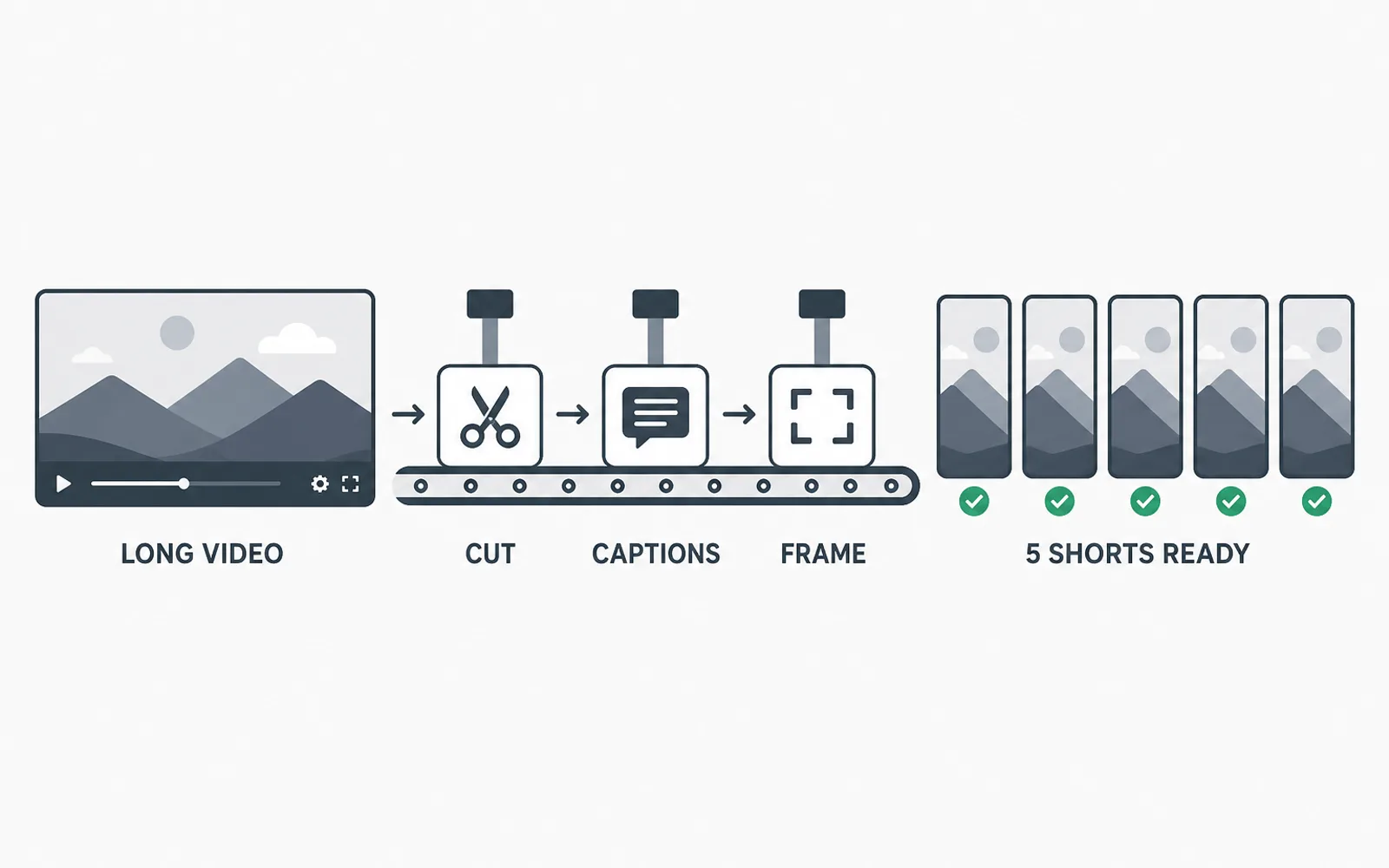
Batch editing clips means finishing many clips by doing the same job across all of them at once - cut every clip, then caption every clip, then export every clip - instead of carrying one clip from raw footage to export before opening the next. It is faster for one measurable reason: the setup you repeat per clip, opening the same panel, loading the same caption style, re-checking the same safe zone, is paid once per batch instead of once per clip. This article gives you the four passes, the spec you have to freeze before the first one, and the honest places where batching stops working.
Why one clip at a time is the slow part
Cutting one clip end to end feels productive, because a finished file exists at the end of it. It is also the slowest way to produce a batch, and the reason has nothing to do with how fast you edit.
Every clip carries the same fixed setup. You open the project, load the caption style, check the safe zone for the platform, set the export preset, and only then start cutting. Finish that clip and open the next one, and you pay the whole setup again. Cut five clips and you have paid for the same few minutes of setup five times - and every switch between them costs you the context you had built: where you were in the transcript, which moment you had already rejected, what the caption timing looked like on the previous clip.
The work that grows with the number of clips is the cutting. The work that does not grow at all is the setup, and that is the part you repeat by hand.
The four passes of a batch
A batch is not 'editing faster'. It is running one job across every clip before moving to the next job. In practice that is four passes.
- Read and mark - read the transcript once and mark every moment you intend to cut, across all the clips at once.
- Cut all - cut every marked moment, in the same project, without styling anything yet.
- Caption and frame all - apply the caption style and the vertical framing to every clip in one sweep.
- Export all - queue the finished batch and let it render while you do something else.
The order matters more than the speed. Pass one is the only pass that needs your taste, and it needs it in its purest form: you are deciding what is worth clipping, not what the caption should look like. Passes two to four are execution, and execution goes better when it is not interrupted by decisions.
The difference that actually shows up in your day is what stays open. In pass three, the caption style panel is opened once and applied to every clip; one clip at a time, it is opened once per clip. There is nothing clever in that - it is the same reason you do not re-open a spreadsheet for every row.
Freeze the spec before the first pass
Batching amplifies whatever your spec is, so the spec has to exist before pass one. Write down five things and treat them as frozen for the batch: the caption style (font, size, position, casing), the safe zone you will keep text inside, the aspect and resolution you deliver, the file naming convention, and which platform each clip is for.
Freezing the spec is the same discipline as locking a delivery spec before you start editing, and batching makes the payoff larger: change the caption style during pass three and every clip you already styled has to be redone. A spec decided halfway through is a batch run twice.
This is also where a batch stops being a stylistic risk. Five clips that share a caption style read as one channel; five clips that each got their own treatment read as five unrelated videos. Consistency is what keeps a returning viewer oriented, and completion is one of the signals TikTok lists in its own description of how its recommendations work - a viewer who recognises the style from one clip to the next is a viewer who stays.
Finish each pass on every clip before opening the next one
The rule that makes batching work is short: do not move to the next pass until every clip has been through the current one.
Pass three is where most batches quietly break. Captions applied clip by clip drift - the same style gets nudged a little on each clip until the batch no longer matches itself. Applying the style to the whole batch in one sweep is what keeps captions consistent across a batch of clips, and it is far easier to check one transition between two clips than to remember what five clips looked like an hour ago.
Framing behaves the same way. If every clip gets its own manual reframe, the subject drifts off centre in the clips where you were tired. Apply one framing rule to the batch first, then correct the two or three clips that genuinely need it. Faster, and visibly more even.
This is the point where the repetitive part of the job separates from the judgement. Deciding which moments are worth clipping is yours and stays yours. Cutting every marked moment, applying one caption style to all of them, framing the batch to the same rule and exporting the lot is mechanical - and it is the part the ClipFinish clip production line exists to remove: you mark moments in the transcript, it returns the batch framed, captioned and exported. It is not a replacement for the taste in pass one, and it will not rescue a clip whose moment was badly chosen.
Where batching stops working
Batching fails in three places, and knowing them is what keeps the method honest.
The first is the clip that is genuinely bespoke. A hero clip with motion graphics, a manual sound design pass or a custom opening animation is not batch work, and pushing it through the shared spec makes it worse. Take it out and finish it alone.
The second is per-clip narrative judgement. If two clips need different structures - one wants a cold open, another needs twenty seconds of setup to make sense - you are making a creative decision per clip, and that decision does not belong inside an execution pass.
The third is revision. If a client reviews clip by clip and sends notes mid-batch, you are not running a batch any more; you are running five separate jobs with an interruption between each. Either collect the notes after the batch is exported, or split the batch so each unit can absorb the change.
A realistic batch size for one day
Bigger batches are not automatically better. The useful size is the number of clips you can still judge in pass one and check in pass three without the quality of that review dropping.
For most editors working on 20 to 60 second clips cut from one long source, that lands between four and six clips per batch. Two batches a day, one in the morning and one in the afternoon, gives you eight to twelve clips - a realistic day. A batch of fifteen is where the check in pass three stops happening and the drift starts.
Two practical notes on the export pass:
- Queue it. Export the four to six clips in one render queue and work on something else while it runs. Encoding tools have handled unattended batches for years; the FFmpeg documentation describes how to run a batch of encodes without supervision, which tells you that watching progress bars is a habit rather than a requirement.
- Keep one delivery format per batch. Aspect, safe zone and caption placement all change between vertical platforms, and mixing them in one pass is how a caption ends up sitting under the wrong app's interface. Keep the YouTube Shorts documentation open while you freeze the spec: since 2024 a Short can run up to three minutes, which changes what fits in a clip more than it changes how many you should make.
- How many clips should I batch at once?
- Four to six. That is the range where pass one (choosing moments) and pass three (checking captions and framing) still get real attention. Larger batches export fine but stop being checked.
- Is batch editing the same as using a template?
- No. A template fixes the look of one clip; a batch fixes the order of your work across many clips. You can batch without templates, and a template does not stop you editing clips one at a time.
- Can I batch clips that need different lengths?
- Yes. Length is decided in passes one and two, when you read and cut. Batching constrains styling and delivery, not the duration of each clip's idea.
- Does batching work for both vertical and horizontal exports?
- Only one delivery format per batch. Framing rules and safe zones differ between them, so run a separate batch per format instead of mixing both in a single pass.
- What should I do with a clip that does not fit the batch?
- Take it out. Handle it in its own pass, or finish it alone. Forcing it through the shared spec is what makes an uneven batch.
Batching does not make the cutting itself faster; it stops you paying for the same setup once per clip. Freeze the spec before pass one - caption style, safe zone, aspect, file naming - then run four passes across the whole batch: mark every moment, cut every clip, caption and frame them all, export the lot. Keep the batch between four and six clips, check it in the third pass instead of trusting it, and take the genuinely bespoke clips out rather than diluting the spec for everyone. What is left as machine work is exactly the pass that turns your marked moments into finished, consistently captioned, correctly framed clips - that is what ClipFinish does, and it still does not choose the moments for you.