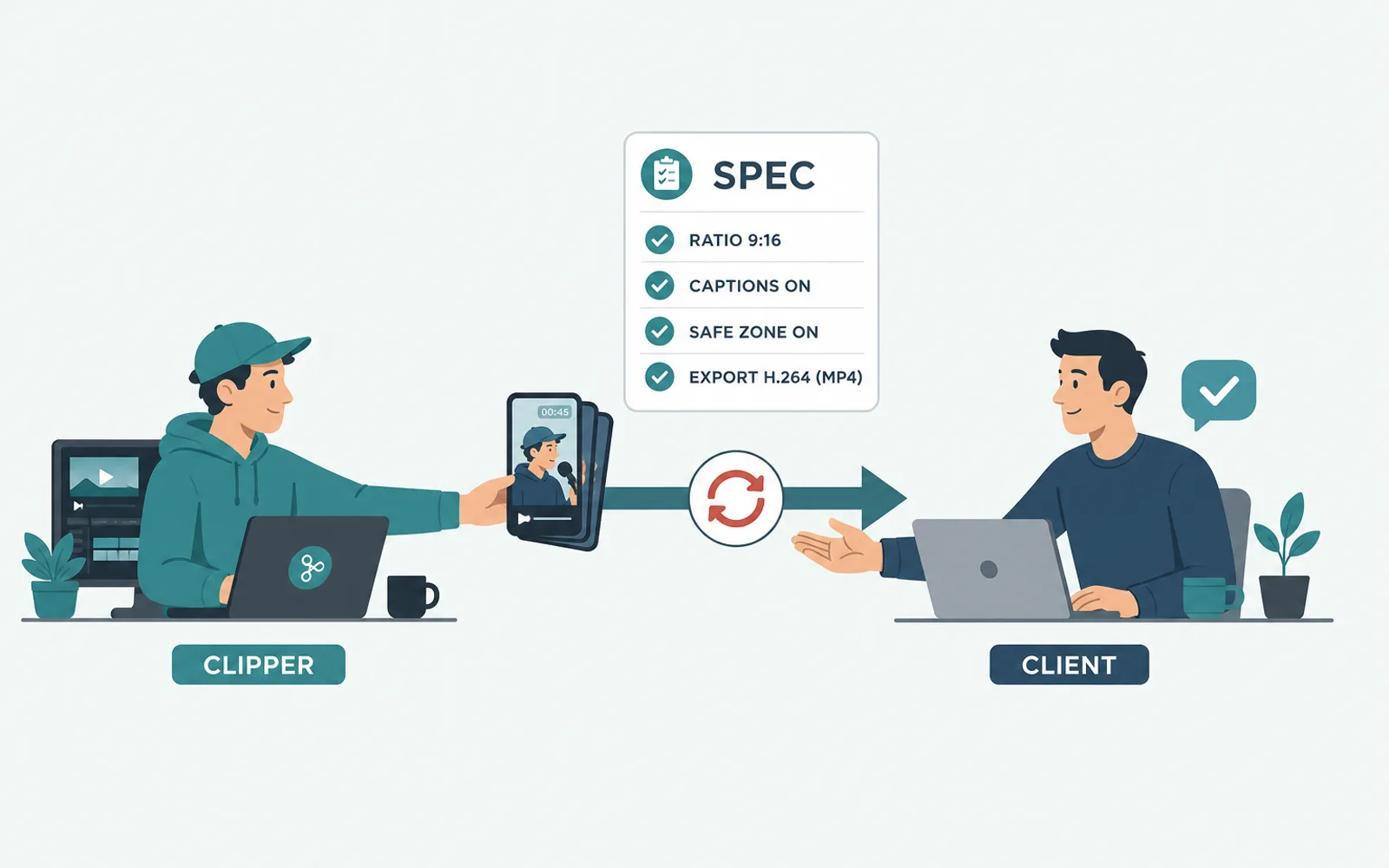
The clips you redo are almost never the ones you cut badly — they are the ones whose ratio, captions, safe zone and export you delivered without agreeing them first. One late ‘can you also make it 9:16?’ is all it takes to turn an afternoon into an evening. This article is the short spec to lock once, before the first clip, so the whole batch comes out the same and you stop redelivering the same work.
Redoing clips is a specification problem, not an editing problem
When an operator sends a finished batch back, read what they actually changed. It is rarely the choice of moment or the cut — it is almost always a finishing field: the frame is the wrong ratio for the platform, the captions get covered by the platform UI, the export is the wrong file. In practice that ‘one more thing’ arrives after delivery, phrased as a small favour: ‘can you also do 9:16?’, ‘make the captions bigger’. A clipper who logs a two-hour source and cuts in one pass then redelivers three times for ratio, captions and export has not made three editing mistakes — they have made one specification mistake, and paid for it three times.
The hours, like the rework, sit in the finishing pass rather than in the cut itself, as we broke down in where editing time actually goes. The finishing fields are identical across clips and across platforms, which cuts both ways: it is exactly why a wrong guess costs you the whole batch at once, and exactly why the fix is cheap — settle those fields once, before the first clip, and the rework that comes from guessing simply stops.
None of this means the requester is unreasonable. Most people do not think in specs; they approve what they see and only discover, on the fifth clip, that the captions must be bigger or the frame must survive a 1:1 feed too. Treat it as your process, not their fault: if the spec is not written down, you are the one guessing, and guessing is what gets redone.
The five fields that cause the redo loop
The redo loop is generated by a handful of fields that have a right answer and a wrong answer but no agreed one. Settle each once and the loop has nothing left to feed on.
- Ratio per platform. Shorts, Reels and TikTok are vertical, and YouTube expects vertical 9:16 uploads — the format Shorts are built and paid around. If the requester also wants a 1:1 or 16:9 cut for another feed, that is a second deliverable, agreed now rather than discovered later. When the source is landscape, auto-reframing is what keeps the subject in frame through that vertical crop.
- Captions: burned in, or a file? Word-level, styled captions are the default now; the redo comes from not deciding whether they are baked into the video or delivered as a subtitle file, and who is allowed to edit the wording.
- Safe zone. On-screen text has to survive the platform’s own buttons and captions, so keep the essential text toward the centre of the frame where nothing will cover it.
- Length range. Is 40 seconds fine, or must it stay under 30? An agreed range stops the trim-back redo that happens at export time.
- Export and owner. The file spec (mp4, resolution) and who owns the finished clips — agreed before you start prevents both a format surprise and a rights argument after you deliver.
Ask these questions before you cut the first clip
A five-line brief takes two minutes to agree and removes an entire class of redo. Send it before you spend an hour cutting:
- Which platforms, and one ratio per platform?
- Captions burned into the video or delivered as a file — and can I edit the wording?
- Where can text sit so the platform UI never covers it?
- Is there a length range, or a hard maximum in seconds?
- Who owns the finished clips, and what is the export spec?
If the requester does not answer, state the default you are delivering in one line — 9:16, burned-in captions, 60 seconds max — and ask them to confirm. A stated default is as good as an answer and far better than a guess, and it gives you something to point at if the reply comes back wrong.
Turn the agreed spec into a fixed rule for the whole batch
The moment the spec is agreed, the finishing pass stops being a judgement you repeat per clip and becomes a rule you apply to all of them. You keep the only judgement that actually matters — which moments are worth keeping, the skill covered in which moments to clip for Shorts — and the machine applies the ratio, captions, safe zone and export identically to every clip in the batch.
That is the boundary that holds in practice. ClipFinish’s clip production line turns a source of up to two hours into a transcript you mark, then finishes the reframe, captions and export on the whole batch from the rule you set once — clip five comes out matching clip one, and none of them drifts back into redo.
An honest limit: this does not automate the choice of moments, and it will not rescue a wrong creative call. A clip that should never have been cut is not saved by a clean export. What it removes is the mechanical class of redo — the one that exists only because finishing fields were redone by hand, slightly differently, every single time.
Frequently asked questions
- How do I avoid redoing clips for different platforms?
- Agree the ratio list before you cut. If one moment has to go to Reels and to a 1:1 feed cut as well, treat those as separate deliverables in the brief, not as a favour you discover after delivery.
- What causes most clip redo?
- The finishing pass, not the cut: ratio, caption style and placement, safe zone and export — each guessed instead of agreed. Lock them as a spec and most of the redo class disappears.
- Should I burn captions in or deliver a subtitle file?
- It depends on the platform and the requester, which is exactly the point. Decide it in the brief, because the two are not interchangeable and both ‘can you also’ requests arrive late.
- Is a fixed rule the same as an AI that picks my moments?
- No. The human still decides which moments to cut; the fixed rule only standardises how every marked clip is finished. Choosing is creative, finishing is mechanical, and only the second part is worth automating.
The fastest way to stop redelivering the same clips is to agree the finishing fields before you start, and then not to re-decide them per clip. Two minutes of brief remove the whole class of ‘can you also’; a fixed finishing rule for the batch removes the rest. That rule is exactly what ClipFinish’s clip production line applies: choose your moments on a transcript, set the ratio, captions and export once, and get a batch of identical finished clips — five free minutes a month, no card, no watermark.