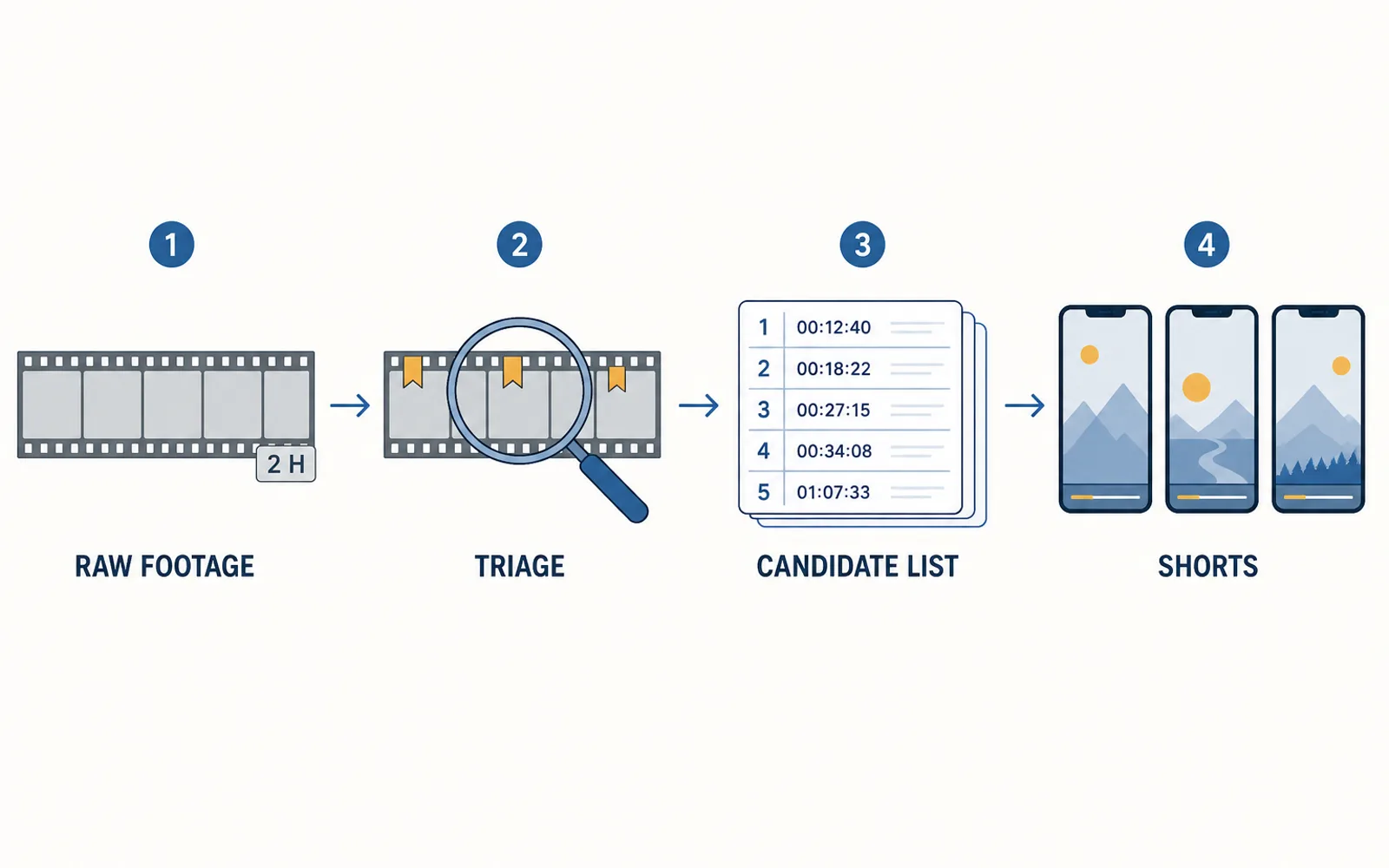
To clip a long video into shorts without re-watching it, prepare the footage before you edit: read the transcript, mark candidate moments in a single triage pass, and log each one as an in/out timecode with a short note. Cutting a clip you have already chosen takes minutes; finding the clip inside two hours of footage is where the session actually goes. This is the prep pass, and what follows is the folder scheme, the triage method and the candidate sheet that remove most of that time without touching the creative decision.
Where the hours go before you cut a frame
Most clippers who fall behind a campaign do not fall behind at the cut. They fall behind at the search. Cutting a clip you have already chosen is a few minutes of work: trim in, trim out, captions, reframe, export. Working out which two minutes of a two-hour recording deserve to be a clip is where the session actually goes.
Editing practice has a name for that stage — dérushage, the pass where you read, sort and label your raw material before you assemble anything. Premiere's own documentation treats it as a formal step with its own controls, keeping the act of bringing media in and making workable copies separate from the act of editing with it (Adobe's ingest and proxy workflow). Clipping is the same job with a shorter deadline, except the raw material is someone else's two-hour stream and the output is thirty vertical clips instead of one edit.
Skipping the pass costs what it costs for a structural reason, not a moral one. While the question is this moment good? is still open, it reopens every time you touch the timeline. You scrub to 00:42, watch, hesitate, move on, come back, and watch the same forty seconds a third time. The footage is not the problem. The missing note is.
An editor's public reel in September 2026 put the ratio at roughly three to one, with more time going to preparing footage than to cutting it, and named the sinkholes: sorting takes, labelling clips, hunting the good version of a shot. Treat that as one practitioner's estimate rather than a measured benchmark. It still points at the right stage.
A folder scheme and a naming rule that survive a campaign
Prep collapses halfway through a campaign when the project has no fixed place to put things, so every clip has to be found again from memory. Three folders and one naming rule are enough.
- 01 RAW — the untouched source, read-only, never edited in place. Adobe's ingest workflow makes the same separation between preserving originals and creating working copies (ingest and proxy workflows).
- 02 CANDIDATES — one sheet per source recording, holding every flagged moment and its in/out timecodes.
- 03 EXPORTS — the finished clips, named so the campaign owner can match a delivered clip back to the sheet and to the source it came from.
Name each export with the four things you will actually be asked for later — campaign, source, date, candidate, version — for example clipfin_brief_0914_c03_v2.mp4. The last field matters more than it looks. The version suffix is what stops final and final-final from becoming the only history you have of a clip the campaign rejected at v1.
Keep the source files inside the campaign folder too, not in one shared downloads directory. A clipper running three campaigns in a month and storing every source in the same place has created a search problem for themselves by week two, and the problem compounds: the same footage gets re-opened for every campaign it could serve. A campaign that expects volume — the kind that pays per verified view on approved submissions, as Whop's Content Rewards documentation describes (Whop, Content Rewards) — is a campaign where the second re-open is the one that costs you the month.
One triage pass: watch once, mark everything
The prep pass is a single sitting with one rule: while you are in the footage, you decide. Nothing watched is left unmarked.
- Read the transcript first. Most long-form carries text you can scan in a fraction of the runtime. You are looking for topic changes, punchlines and question-answer beats — not for prose quality.
- Scrub at 1.5–2x with your hand already on the marker key. Mark on feel. Do not stop to judge; judging is the next step, and doing both at once is what makes the pass feel endless.
- Log every mark into the candidate sheet with an in timecode, an out timecode and a three-word note saying what the moment is.
- Never re-watch to decide. Decide from the note. If the note does not tell you what the moment was, the note is bad — not the moment.
The sheet is six columns and it never changes shape: N, IN, OUT, NOTE, LEN, STATUS. The status column is what turns a list into a decision — KEEP or DROP, nothing in between. Note that LEN is the length of the span you flagged, not the length of the finished short; a twelve-minute exchange can hold a thirty-second clip, and writing down the span is what lets you find it again.
The arithmetic is why the timecodes matter. A two-hour recording holds forty to sixty plausible spans. A campaign asking for thirty clips a month is not served by remembering four of them, and it is not served by a list that says the bit about the thing near the start. An in and an out are two numbers you can act on without revisiting the source at all.
Three rules that keep the shortlist honest
A candidate list grows until it becomes another pile. Three rules keep it usable.
Mark twice what you need. If the campaign wants fifteen clips, flag thirty spans. The pass costs the same either way, and the choice then gets made with all the evidence in front of you rather than while you are still hoping the recording improves in the second half.
Apply the mute test. Play a candidate with the sound off. If the frame alone does not tell you that something happened, the clip is starting too late — move the in-point, or drop it. This is the fastest filter that separates a span that reads from one that only works because you were there when it was shot.
Check the length ceiling, because it keeps moving. YouTube's own Shorts guidance now describes Shorts of up to three minutes (get started creating YouTube Shorts), which turns a good four-minute answer into a candidate rather than a rejection. A shortlist built on last year's length rule quietly throws away usable material, and nothing in the process will tell you it happened.
What the sheet is not is a scheduling tool. It records decisions; it does not decide which clip to produce first. Order of production is a separate question, and which moments to clip for shorts is where that judgement lives.
Automate the finding, keep the choosing
Split the prep pass into its two halves and it becomes obvious which half is mechanical.
Scanning the footage, pulling the transcript, detecting speaker changes, flagging candidate spans with timecodes and cutting each span to the campaign's format is mechanical. It is the same operation applied to every minute of every recording, and it is exactly the part that eats the hours. Deciding whether a moment is good is not mechanical, and that is the part worth your attention.
ClipFinish's clip production line takes the first half. Hand it the source video and it returns candidate clips already cut, captioned and framed to the spec you set, so the triage pass starts from a set of candidates instead of from two hours of raw timeline.
What it does not do is the judgement. It will hand you a well-framed clip of a moment that bores your audience, and no amount of caption styling will repair that. It also cannot know your campaign's editorial taste — the tone, the kind of moment the owner approves — because that was never written down anywhere. The boundary is worth stating plainly: it removes the conformance and the finding, and leaves the selection.
The batch side of the same problem — producing many clips without re-deciding the spec each time — is in how to batch edit clips, and the fuller anatomy of where an editing session goes is in where editing time goes.
FAQ
- Do I have to transcribe the video myself?
- No. Auto-transcription is good enough for triage, and the point of reading the transcript is to find topic changes and question-answer beats quickly — not to publish the text. If a platform's captions are on the video already, use those first.
- How long should the triage pass take on a two-hour recording?
- Aim for one sitting and treat the pass as non-negotiable once started — the cost is the re-watching, not the watching. Reading the transcript and scrubbing at 1.5–2x is what keeps it to a single session instead of three fragmented ones across a week.
- What if the campaign rejects half of my shortlist?
- Then the shortlist did its job: it cost you a marked span, not a finished clip. Rejections that are about conformance — crop, caption style, position, length, delivered format — are worth fixing in the spec once so the next batch does not repeat them.
The cut is not the bottleneck; the search is. Fix it once with three folders, one naming rule, a single triage pass and a candidate sheet with in/out timecodes, and every clip after the first batch is found rather than hunted.
The half of that work which is mechanical — scanning the source, flagging the spans, cutting each one to a fixed format with the captions and framing already applied — is what ClipFinish's clip production line is built to carry. The half that is taste stays where it belongs: with you.